Nmap - Basic
TOOLS
10/25/20225 min read
Nmap, short for Network Mapper, is a powerful, open-source Linux command-line tool that has become an essential instrument in any network administrator's toolkit. It is primarily used for scanning IP addresses, identifying open ports on a network, detecting the applications installed on these ports, and much more.
What can Nmap be used for?
Nmap offers a myriad of functionalities that make network management a breeze:
Discover active hosts: Nmap can scan networks to identify systems that are actively running on connected devices.
Port scanning: Nmap determines which ports on a host are open and listening for connections.
Service and version detection: Nmap identifies the applications and services running on open ports, often including version information.
Operating system detection: Nmap fingerprints the operating system running on a host based on its network responses.
Security auditing: Nmap provides valuable information for identifying potential vulnerabilities and security risks on networks.
Network mapping: Nmap creates a visual map of the network, connecting discovered hosts and devices.
There are two versions of Nmap
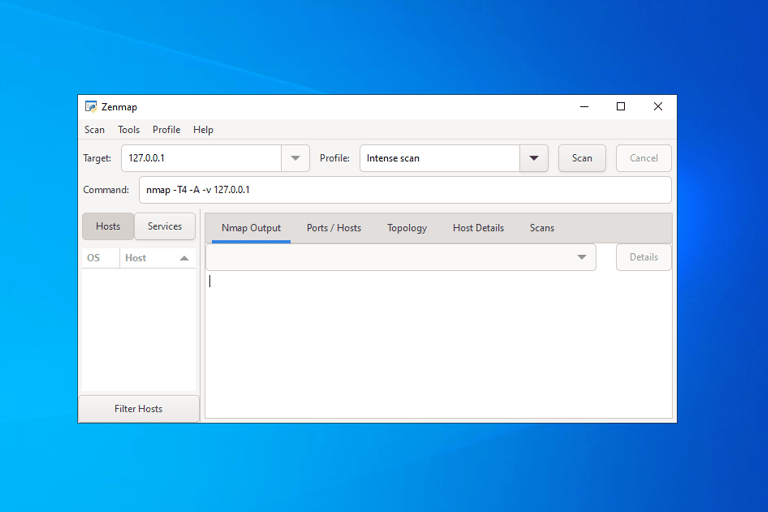
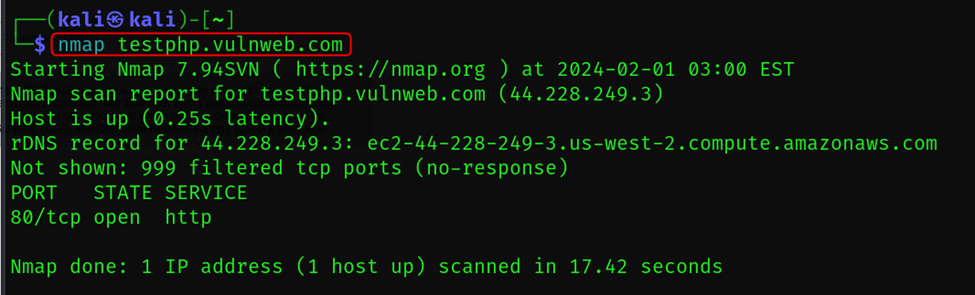
Nmap Command Line Interface Zen map GUI version
It is Cross platform tool which supports, OS systems like Windows, Linux and MacOS.
Different Types of Scans using Nmap
Target Specification
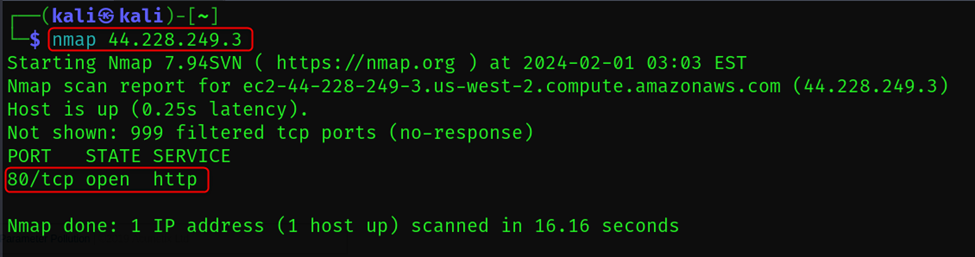
In this type, there are 6 ways in which network target can be specified. As, we can provide direct domain or IP of the target which we want to scan.
nmap <target>
Scans the specified target (IP address, hostname, network range).
TCP SYN Scan
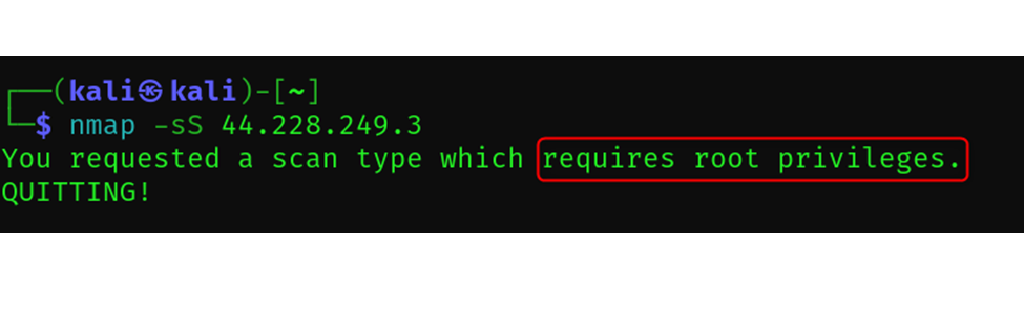
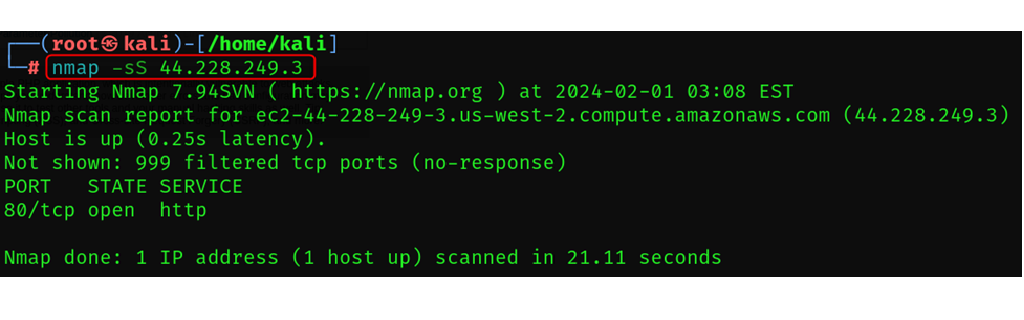
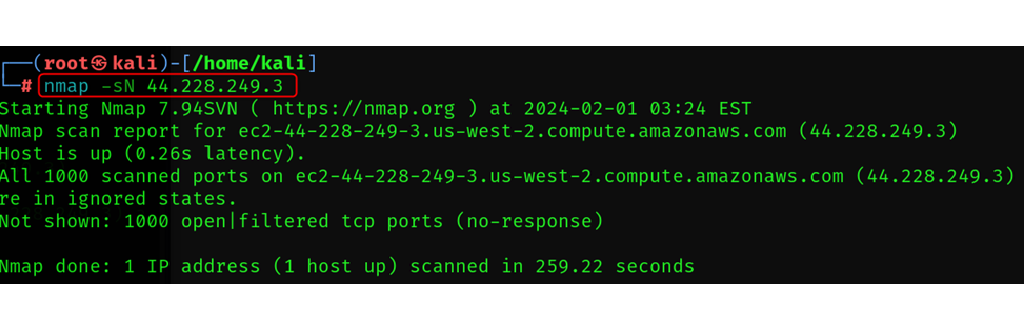
nmap -sS <target>
In this type of scan, the Nmap doesn’t makes full connection, it acts as an passive scan. Means, in other type of connection the port scanners, act like brute forcing into the system.
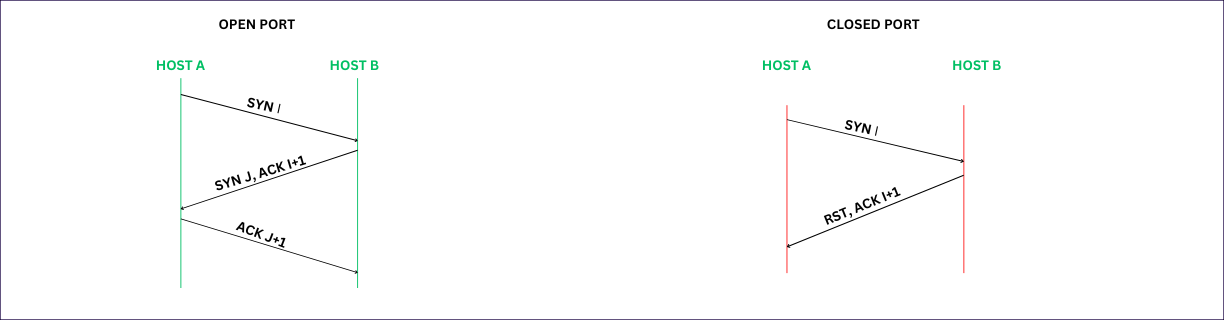
In SYN scan, nmap just sends a single flag packet to the different ports, and if the port is open, it shares the SYN-ACK response for handshake, but after receiving this response the nmap doesn’t respond to it’s acknowledgement and thus connection is never been fulfilled so, it also helps to hid and generate no response in the firewall or IDS (intrusion detection systems).
It is fast, efficient and powerful way.
Note: The scan requires root privilege access.
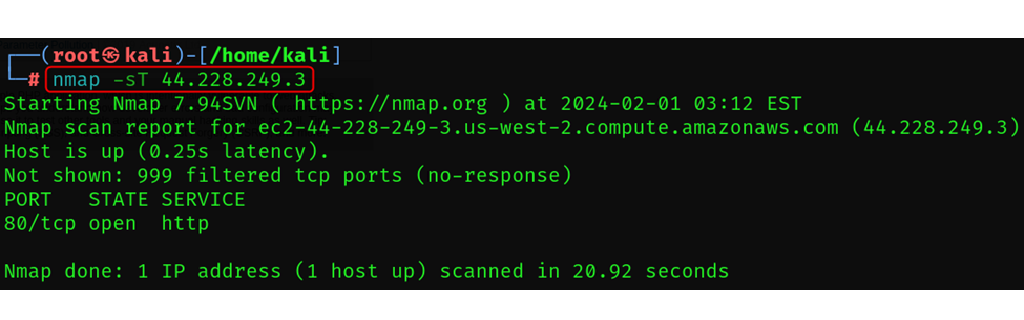
TCP Connect Scan ( More reliable than SYN Scan)
This TCP connect scan takes more of direct approach.
It completes it’s handshake, extending a full connection to each port examines.
This is brute force kind of approach.
Drawbacks –
I use brute force approach.
It is louder means, this type of scan is easily detectable by Firewalls and IDS (Intrusion Detection Systems).
Advantages –
It can capture more information about the target ports and services.
It can easily be able to identify open, filtered, and closed ports with high accuracy.
It can even capture applications banners or version information.
Best Use case, when you have full access to the network and want to grab more detailed information and no need to hide your self, best way to gather more information.
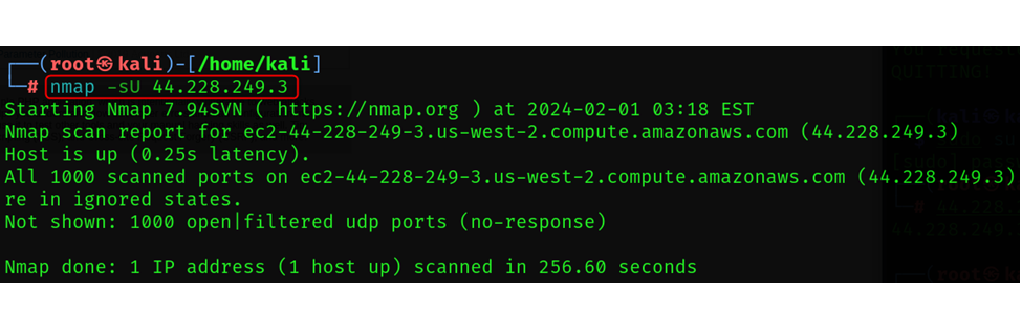
UDP Scan
namp -sU <target>
UDP scans are not considered as orderly as handshakes as TCP Scans connections.
It is used for the services like DNS, VOIP, and streaming.
It is very useful in mapping and understanding of UDP services.
UDP doesn’t perform Three-Way handshake.
Working
It just sends a UDP request to the ports, if the port is open, it sends backs UDP response.
If the port is closed, it doesn’t share any response.
And, if it is blocked by Firewall or IDS, it sends ICMP error messages.
Advantages
It is fast
Good for interacting with UDP services ports.
Disadvantages
It is not precise and doesn’t collect much information.
It sometimes makes mistakes in identifying between filtered port as open ports due to lack of ICMP messages.
Best when to use
Initial network mapping
Identifying vulnerable services for some common services like SNMP can be vulnerable to exploit.
Troubleshooting network issues: UDP based service like DNS can sometimes cause connectivity problems, In that scenarios we can use
For fast scans.
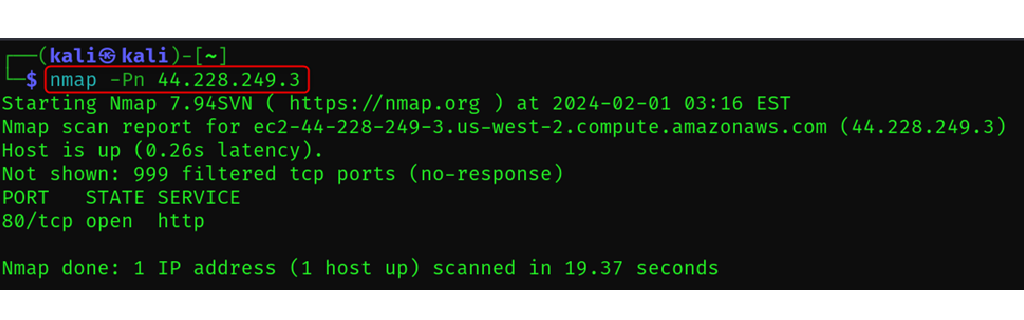
Skip Host Recovery
nmap -Pn <target>
In this scan, it is assumed the all the hosts are online and host discovery should be skipped.
Nmap has a default behavior, that first performs host discovery to see which machines on the target network are actually up and running.
Then, it scans for open ports, services and operating systems.
With using -Pn Host discovery is skipped: Nmap assumes all hosts in the target range are active, saving time and bandwidth.
All hosts are scanned, even if they might not be online. This can lead to inaccurate results if many devices are offline.
Advantages
Speeding up scans: When time is of the essence, skipping host discovery can significantly reduce scan time.
Scanning large networks: For broad sweeps of vast networks, assuming all hosts are online can be efficient.
Penetration testing: Simulating a real-world attack where an attacker wouldn't bother checking if every target is online.
Disadvantages
Increased false positives: Assuming all hosts are online can lead to inaccurate results like open ports on non-existent devices.
Wasted resources: Scanning unnecessary hosts consumes resources like bandwidth and processing power.
ICMP Ping
namp -sn <target>
It is similar to the UDP scan, but it is uses the ICMP ( Internet Control Message Protocol ) to scan the ports.
Advantages
It is faster
Best to check the status of host, which host is responding.
Disadvantages
Only best to check which host is live.
Best Use case
Works best under the same IP range you are using.
Summary:
In this blog, we looked over the basic understanding of Nmap (network mapper tool). For live demo please follow up the youtube link.